01
Check the file or folder
Inspect downloads, archives and selected folders while explicitly showing incomplete coverage.
Free native Windows file, folder, USB and startup checks with YARA-X integration, quarantine and readable warnings. Development builds are unsigned, privately hosted on GitHub, and do not replace Microsoft Defender.
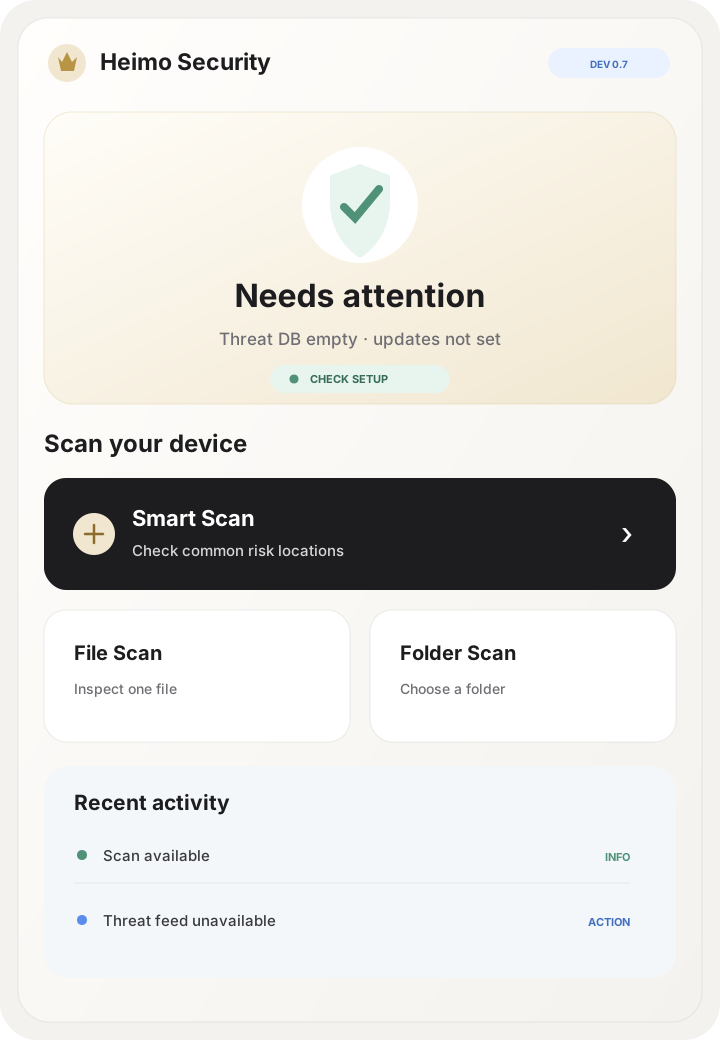
Scan individual files, folders and USB devices. Review Windows startup entries. Get local YARA-X rule detection and honest notices when scan coverage is incomplete. This unsigned preview is not a replacement for Microsoft Defender.
Security should answer four questions quickly: what was found, why it matters, what happens next and whether you can recover safely.
Inspect downloads, archives and selected folders while explicitly showing incomplete coverage.
Use available hashes, signing signals, permissions and static indicators to make the risk easier to understand.
Quarantine definite threats, preserve an auditable recovery path and verify identity before restore.
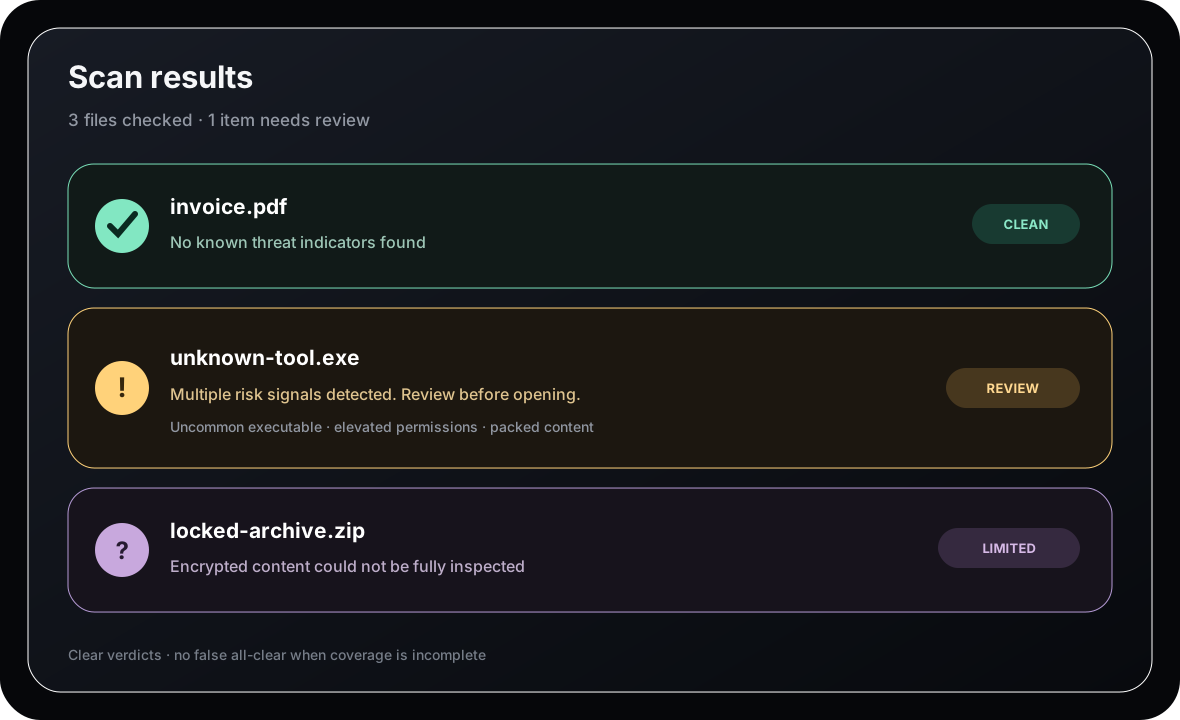
If content cannot be completely inspected, KINGAI Security shows Limited or Unknown instead of pretending everything is safe.
Capabilities are described by what each operating system actually permits instead of pretending every device can be protected in exactly the same way.
Smart Scan, file and folder inspection, user-space Guard + Supervisor, quarantine, history, signed application updates and signed Threat Packs.
No. Windows 0.7.0 is an unsigned GitHub-hosted development preview with private-access limits; Android 0.1.0 remains a candidate. Commercial Stable publication remains gated by CI, signing, production-feed and real-device evidence.
No replacement claim is made. KINGAI Security is being validated for coexistence and does not claim unimplemented kernel interception or Defender replacement.
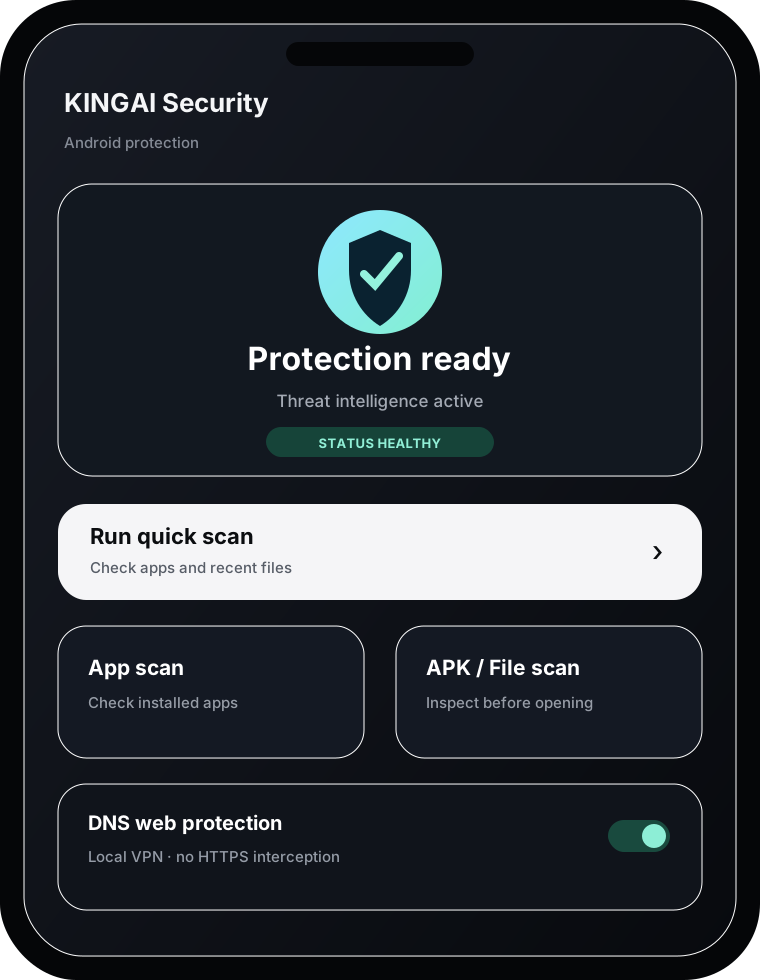
No. Android web protection is DNS-only through a local VPN. It does not install a CA and does not perform HTTPS MITM inspection.
The product reports Limited or Unknown coverage instead of presenting an unearned “safe” result.
Use the official download center for release status, checksums and platform-specific builds.
aq.kingai.work