01
Smart scanning
Prioritizes common risk locations and suspicious content for a faster first check.
KINGAI Security focuses on the full journey from inspection to explanation, action and recovery. Capabilities vary by platform and are described here without turning roadmap items into shipping claims.
Official: aq.kingai.workPrioritizes common risk locations and suspicious content for a faster first check.
Inspect a single item or a selected directory with bounded work, cancellation and explicit unreadable states.
Uses available hashes, package metadata, signing identity, permissions and static signals to explain risk.
Suspicious content can be isolated, tracked and restored through an identity-checked recovery path.
Keeps scan, detection, update and recovery events visible instead of burying them behind a single status icon.
Production update designs verify manifest identity, signature, expiry, version compatibility, payload hashes and rollback rules.
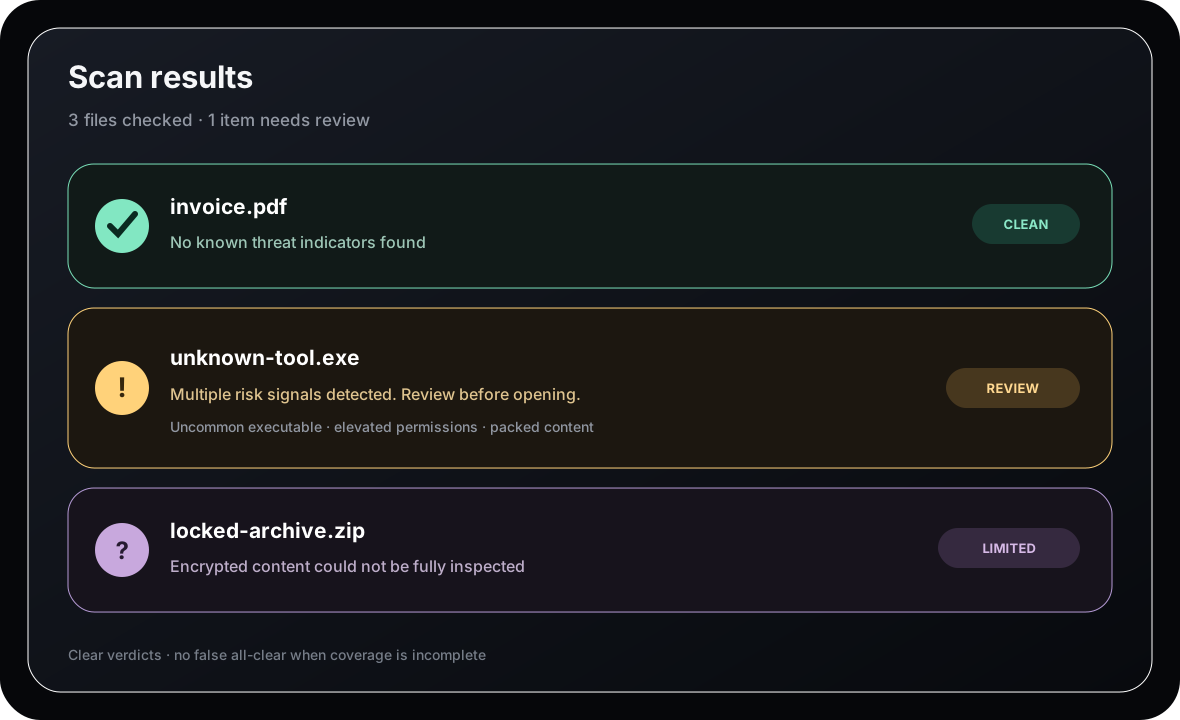
One of the most important product rules is that incomplete inspection is not silently converted into a “safe” result.
See exactly which protection surfaces are implemented for Windows and Android.
aq.kingai.work